Why I introduced a user story framework to the team
At the time, the corporate team (the team building features for corporate clients) had just been reorganized, and its discussions often sprawled. Even with qualitative research findings and quantitative data, the team had no clear way to bring discussions to a conclusion, so conversations about development direction struggled to stay focused and meetings ran long. In one case, the team discovered only after the initial design was finished that people had pictured the feature differently, and the entire design had to be redone.
To solve this, I introduced a framework built on user stories and User Story Mapping. It gave the cross-functional team a clear way to agree—before design or development formally began—on whose problem we were solving, what that problem was, and the specific direction and scope of development.
Outcomes for the team
How I assessed these outcomes
These are changes I observed myself; they’re subjective and weren’t rigorously tested, qualitatively or quantitatively. The most direct indicator is that after I left the corporate team, its PO chose to keep using this framework as part of the design process. A process that takes hours of the whole team’s time stayed in use after the person who introduced it had left.
How I guided the team in defining user stories
Introducing a user story hierarchy
The layered approach grew out of a workshop that didn’t go well, one I facilitated on the learner-facing team before C&C. At the time, my understanding of user stories didn’t go beyond filling in a template: when I tried to write in detail, stories became too long; when I tried to write more abstractly, they couldn’t convey what the story meant for the development direction. As a result, when the designers and the PO explained the user stories to the team, they couldn’t keep the discussion focused on what each stage of the project called for.
It took me a while to figure out why: I didn’t yet understand what user stories really are. So I researched online and read Jeff Patton’s User Story Mapping. Only then did I realize that user stories describe the relationship between a project’s direction and its users, and that their purpose is to define the project’s direction and scope, and even its development details and specs, not to fill in a template with whatever you want to say.
Looking back, the problems in that workshop were exactly the difficulties that come from trying to cover all of a project’s context with a single level of user stories:
- Stories get packed with too much content and become long and unfocused.
- Descriptions are too abstract to clarify the specific development scope.
- Descriptions are too specific, narrowing the solution early in the project and stifling the team’s room to explore ideas together.
To address this, I introduced a hierarchy that split user stories into levels: each level locked in only the agreement needed at that stage and left more specific decisions to the next level. This kept the framework flexible at every stage, so the cross-functional team could truly take part in exploring and defining the work.
User story hierarchy table
| Level and definition | Purpose | Example (from the Designing an AI competency-matching MVP for fast validation: half of target corporate clients distributed its content to employees) |
|---|---|---|
| Level 1: Vision Highly abstract; the team’s long-term development goal. | Grounded in insights from qualitative and quantitative research, it reflects users’ real pain points or needs and serves as the shared foundation for exploring a series of solutions. | HR wants to foster a culture of self-directed learning in the company and develop talent, because as internal talent grows, the company gains greater business returns. |
| Level 2: Direction Moderately abstract; corresponds to a single feature about to be developed. | Narrows the scope of ideation for an upcoming feature. As the starting point for cross-functional discussion, it helps narrow down divergent ideas while still leaving room to explore a variety of solutions. | HR wants to tie the learning content on the learning platform to the company’s competency model, because this can greatly increase employees’ motivation to learn. |
| Level 3: Details Concrete and detailed, including interaction specs. After being refined in PBR meetings, these stories become PBIs, and their acceptance criteria (AC) are defined. | Aligns the whole team on development details and serves as the basis for scheduling and development. | HR wants to bulk-upload competency model descriptions for a job level via CSV, because this greatly reduces the time spent creating records manually. └ HR can read instructions on how to upload a competency model using the CSV template └ HR can download the CSV template … and other details |
※ C&C is a competency-matching feature I worked on as Design Lead. For details, see Designing an AI competency-matching MVP for fast validation: half of target corporate clients distributed its content to employees
※ This hierarchy is mainly based on Jeff Patton’s book User Story Mapping and the article “Three Ways to Use User Story Mapping” (in Traditional Chinese). I defined the “Purpose” of each level in the table based on the product team’s situation at the time.
Level 1 and Level 2: Refining the vision and direction
The PO, the UX Researcher, and I defined these two levels together. Everyone involved was familiar with design thinking and with layering user stories, so no formal facilitation was needed, and we usually reached agreement within a few rounds of discussion. We deliberately wrote multiple drafts at different levels of abstraction and in different narrative styles, then combined and refined them into the stories that defined the vision and the direction.
Our criterion for selecting drafts was specificity. User stories at each level need a different degree of specificity, and factors such as the nature and timeline of a project also affect how specific a story should be. So this stage relied on the judgment we had built up from past experience, not on a fixed set of rules.
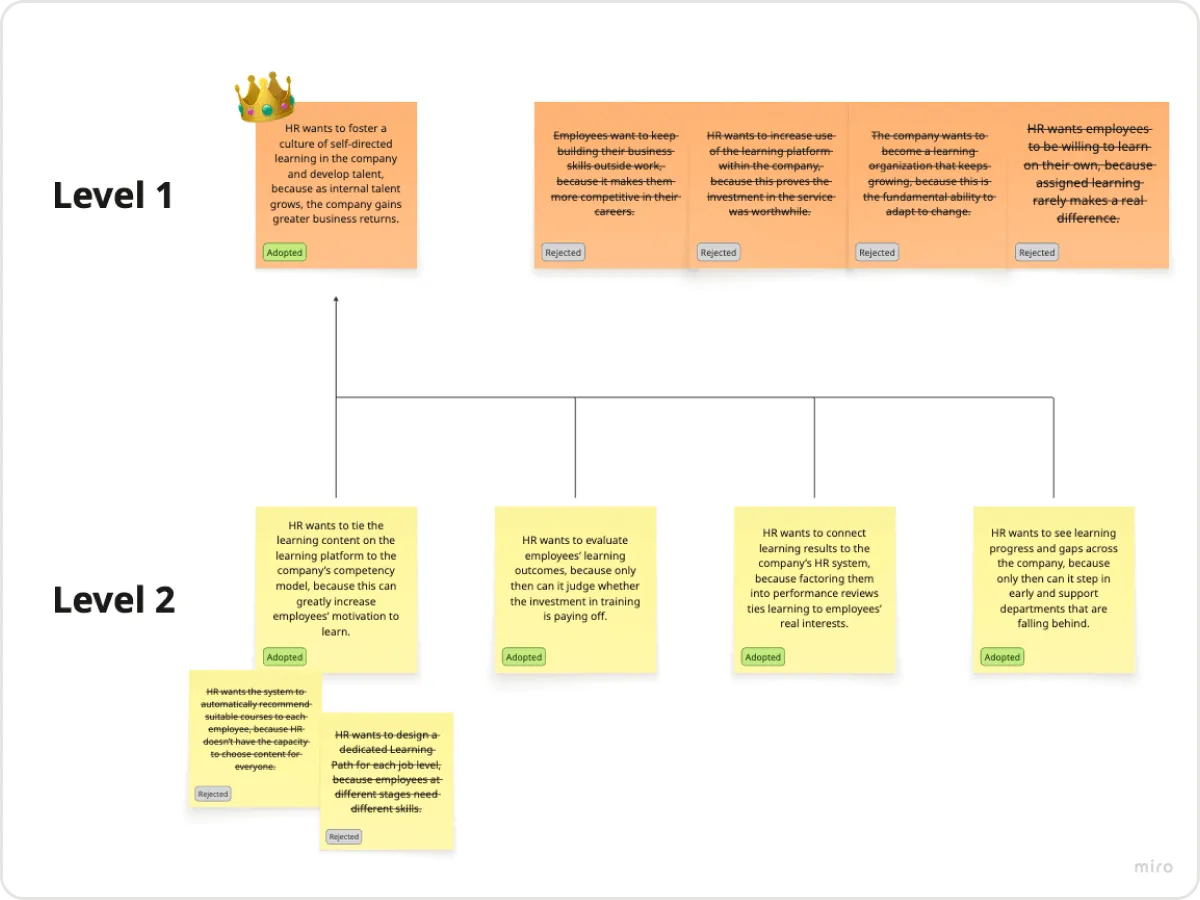
This image includes two rejected Level 2 drafts. Both described the approach (automatic recommendations, designing paths by job level) too specifically, which would have squeezed out the development team’s room for ideation early in the project.
The user story we finally adopted also names an approach (tying content to the competency model), but it doesn’t specify how to tie them together or in what form the result would be presented to employees. As a result, the development team could still evaluate options based on its own resources and technical constraints and come up with the feature that best fit the story.
Level 3: Turning the vision into development specs
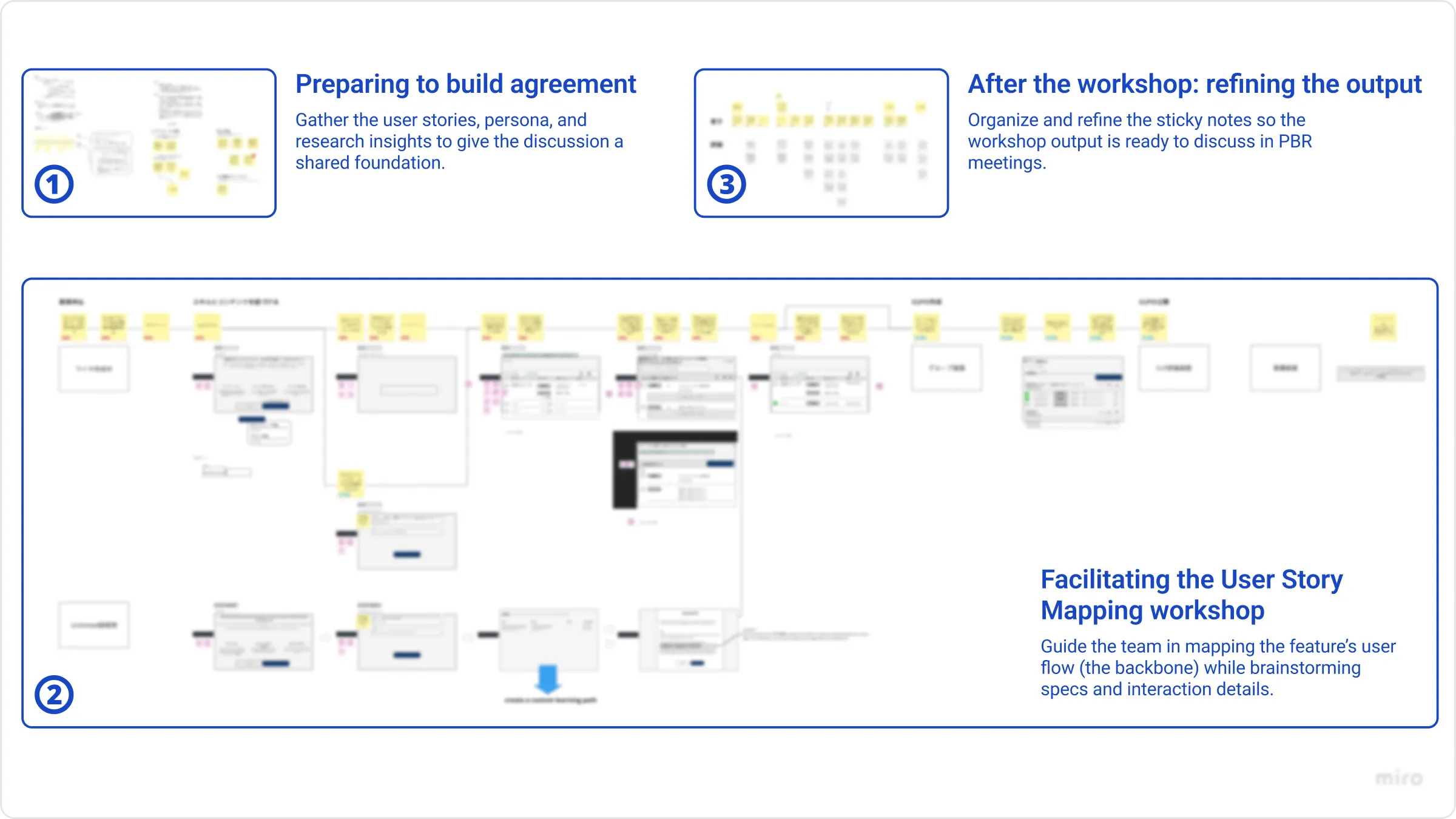
- ⓪ Deciding whether a workshop is needed to align how the team pictures the feature
A workshop takes hours of the whole team’s time, so not every feature is worth one. I facilitated about 10 workshops on the corporate team, and when deciding whether to hold one, I first looked at two things:
- Scale: If a feature was small, for example, just one section of a page, or could be clearly defined with one or two user stories, it didn’t go to a workshop.
- Whether the team pictured the feature differently: In my regular 1:1s with team members, I walked them through the Level 1 and Level 2 stories and related research materials early on to check that we pictured the feature the same way. After the engineers had reviewed the initial materials, I also listened to their assessments of development difficulty. When I picked up on uncertainty (for example, “I’m a little worried about how some parts would be implemented” or “I’m not sure what the other engineer would think”), it meant there really were gaps the team needed to resolve face to face. Only then did I decide to hold a workshop.
- ①–③ Preparing, facilitating, and refining
Before the workshop, I gathered the Level 1 and Level 2 stories, the target user persona, and relevant research insights in Miro. This step matters: if the users’ context, the PO’s vision for the feature, or the goals of the workshop itself aren’t communicated well, the workshop won’t produce the expected results. During the workshop, I guided the whole development team in mapping out the feature’s user flow (the backbone) and then brainstorming the corresponding development specs and interaction details beneath it. Afterward, I worked with the PO to organize the sticky notes and refine them into Level 3 user stories, which went into PBR meetings to become PBIs with defined acceptance criteria.
On C&C, for example, engineers raised concerns in the workshop about the accuracy and cost of using AI to match courses directly. Those concerns later became the starting point for the team’s decision to use course tags as an intermediary (see Designing an AI competency-matching MVP for fast validation: half of target corporate clients distributed its content to employees).
Reflections
As Design Lead, I went through a period when I often relied on my own communication to bridge gaps in understanding between team members. After I started using this user story framework, I realized that finding a collaboration method that fits the team matters more than relying on my own communication. One person’s time and ability are limited, but a good collaboration method can make the whole greater than the sum of its parts.
When I left the corporate team, I handed over to the team’s PO and designer the workshop outputs, the templates the workshops required, and the definitions of user stories and their levels on Notion. Even so, the designer who took over still came to me asking how to use the framework.
This led me to a further realization: even when a team accepts and reuses a method, the method won’t necessarily be used correctly. People need to experience it firsthand before they can apply it effectively.